

The Gene page has three main parts: gene context, variants found in the uploaded file, and details for each variant. Use the page from top to bottom. Start with the gene, then check which variants were found, then review consequence, frequency, ClinVar, and predictor scores.
Gene information
Most genes have a short code and a full name. For example, CBS is the gene code for Cystathionine beta Synthase. Gene Inspector shows both names at the top of the page, followed by a short description of the gene.
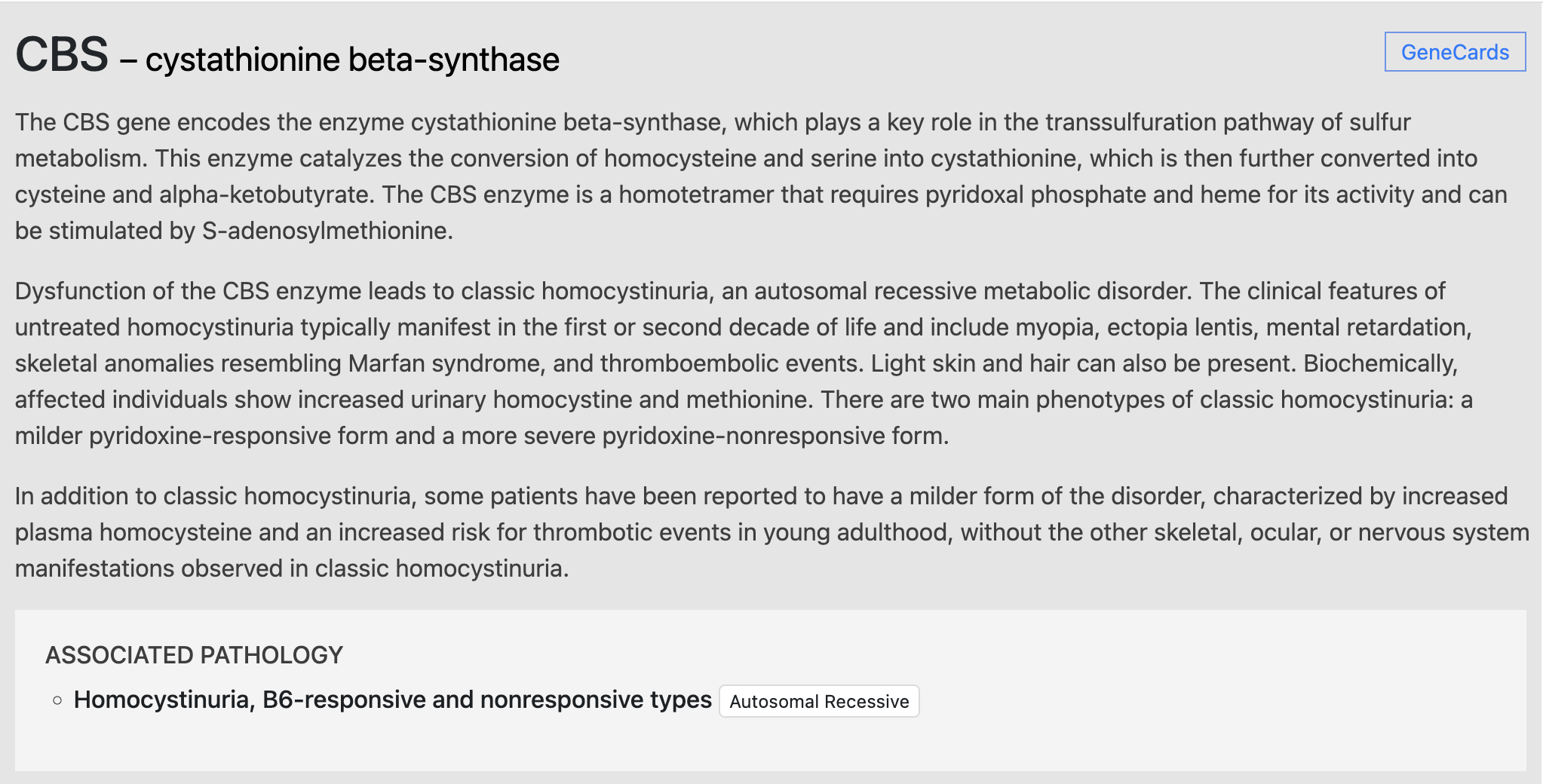
The GeneCards link opens an external reference page for the same gene. If Gene Inspector has associated pathology data, it lists diseases connected to known gene dysfunction. This list is context, not a diagnosis.
Gene Inspector does not diagnose disease from an uploaded DNA file. Use the information as review support and discuss clinical questions with a licensed clinician.
Some diseases require changes in both gene copies, which is called autosomal recessive inheritance. Others can be caused by a change in one copy, which is called autosomal dominant inheritance.
Variant list
The variants tab lists changes found in the uploaded genome for that gene. Gene Inspector groups variants by sequence consequence and allele frequency so rare or higher-impact changes are easier to review first.
Minor allele frequency is shown as a decimal from 0 to 1. It estimates how often the variant appears in population datasets.
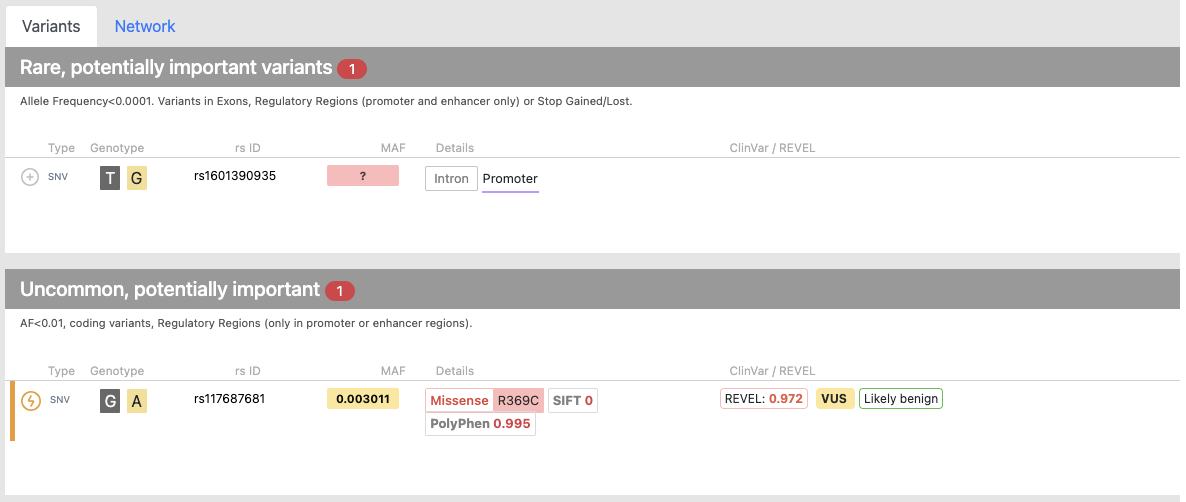
In the screenshot, one variant has no known frequency and affects a promoter region, so it appears under rare, potentially relevant variants. Another variant has a frequency of 0.00311, changes an amino acid, appears in ClinVar, and has a high REVEL score. These details do not make the variant pathogenic by themselves, but they tell you what to check next.
Variant details
A review mark appears as an orange line and icon. You can add or remove a mark when a variant needs follow-up.
The Type column describes the variant class. SNV means single nucleotide variant, a change in one DNA letter. INS means insertion. DEL means deletion.
Genotype
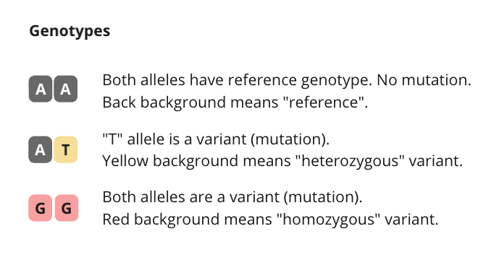
The genotype column shows the alleles in the uploaded file. A black background means the allele matches the reference genome. Yellow or red backgrounds show that one or both alleles differ from the reference.
Reference SNP ID
The rs ID column links to dbSNP records when a public record exists. Very rare or newly called variants may not have an rs ID.
Consequence and predictor scores
The details column explains how the variant affects the gene. Common consequences include intron, missense, regulatory-region change, frameshift, stop gained, and stop lost. Some variants also include predictor scores such as SIFT, PolyPhen, AlphaMissense, or DANN. Treat these scores as prioritization signals, not final answers.